Cloud Digital Signage Software - Free up to 3 screens
Your screens,
beautifully managed.
Design stunning displays, schedule content, and push live to any TV or digital signage screen in under 5 seconds - all from one dashboard. No USB sticks. No on-site IT. No hardware lock-in.
No credit card required · Free up to 3 screens · Cancel any time
Built for your business
See it running in a real screen.
Real dashboard screenshots from businesses using Atracast today - not mockup placeholders.
Restaurants & Cafes
Menu boards that update in seconds, not print cycles.
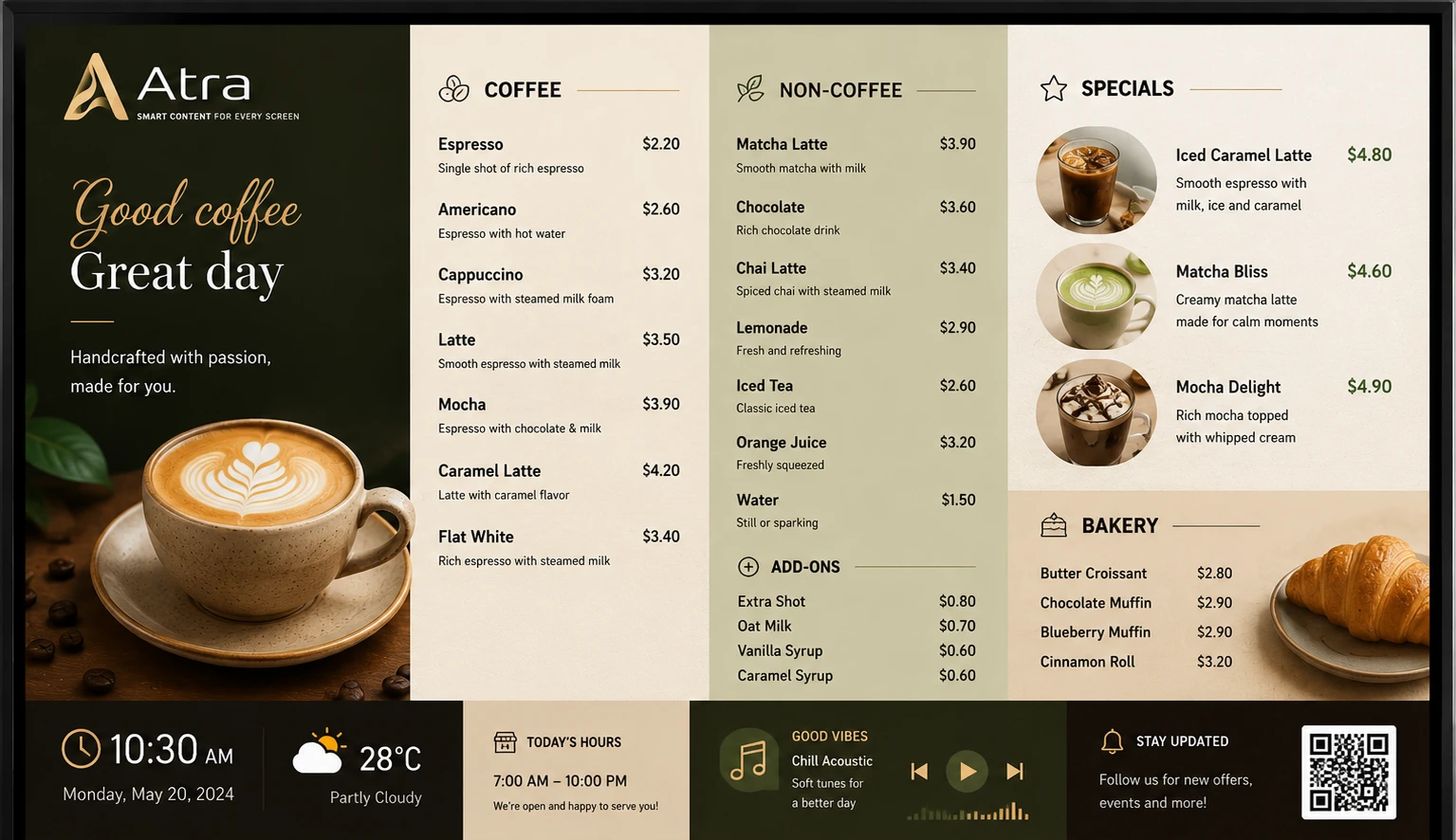
Replace printed menus and chalkboards with a live digital menu board that updates the moment you change a price or mark a dish sold out. Day-part scheduling switches breakfast, lunch, and dinner boards automatically - no one has to remember to swap a panel mid-shift. A price change reaches every screen at every location within 30 seconds.
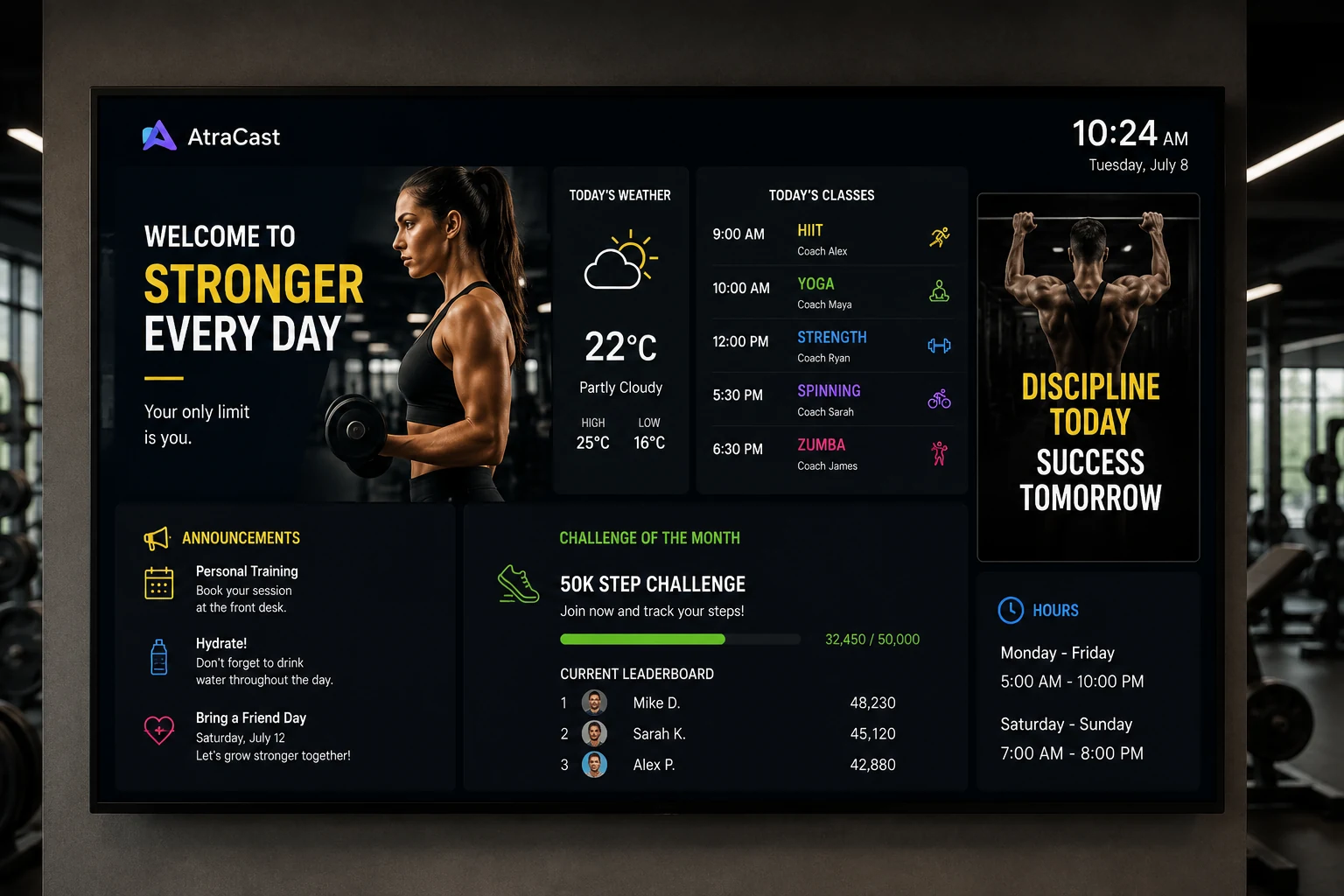
Stop erasing and rewriting a whiteboard every week. Atracast's gym schedule module shows today's classes, trainers, and times automatically - color-coded by class type, with a full week view or an auto-cycling day-by-day display for studio walls. Change a class time once and it's correct on every screen in every room instantly.
Your service menu, prices, and featured treatments live on screen and update in seconds - no reprinting a laminated price list every time something changes. Add a scheduled promotion with a start and end date and it appears and disappears automatically, and a booking QR slide in the rotation turns a waiting client into a booked appointment before they walk out.
Push a flash sale, a new arrival, or a seasonal campaign to every store in your chain at once - no printing, no shipping, no in-store visits required. Design branded promotional slides in the built-in editor, schedule them to start and end automatically, and keep every location showing the exact same campaign at the exact same time.
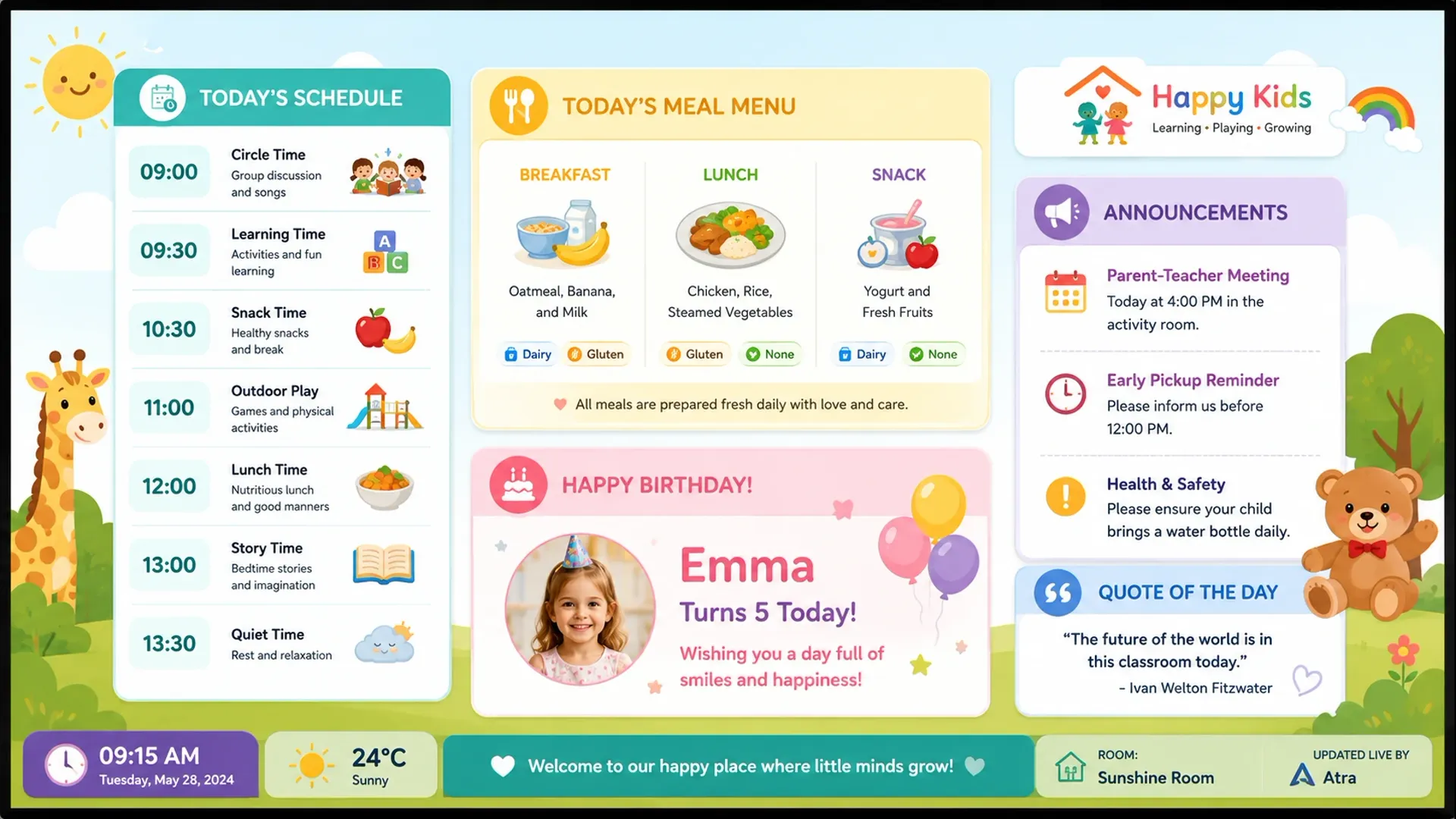
Show each room's daily schedule, meal menu, and notices on classroom and hallway screens - automatically. A birthday board highlights today's birthday child with a little celebration animation, and building-wide notices carry urgency levels so an early-closure alert never gets lost among routine reminders.
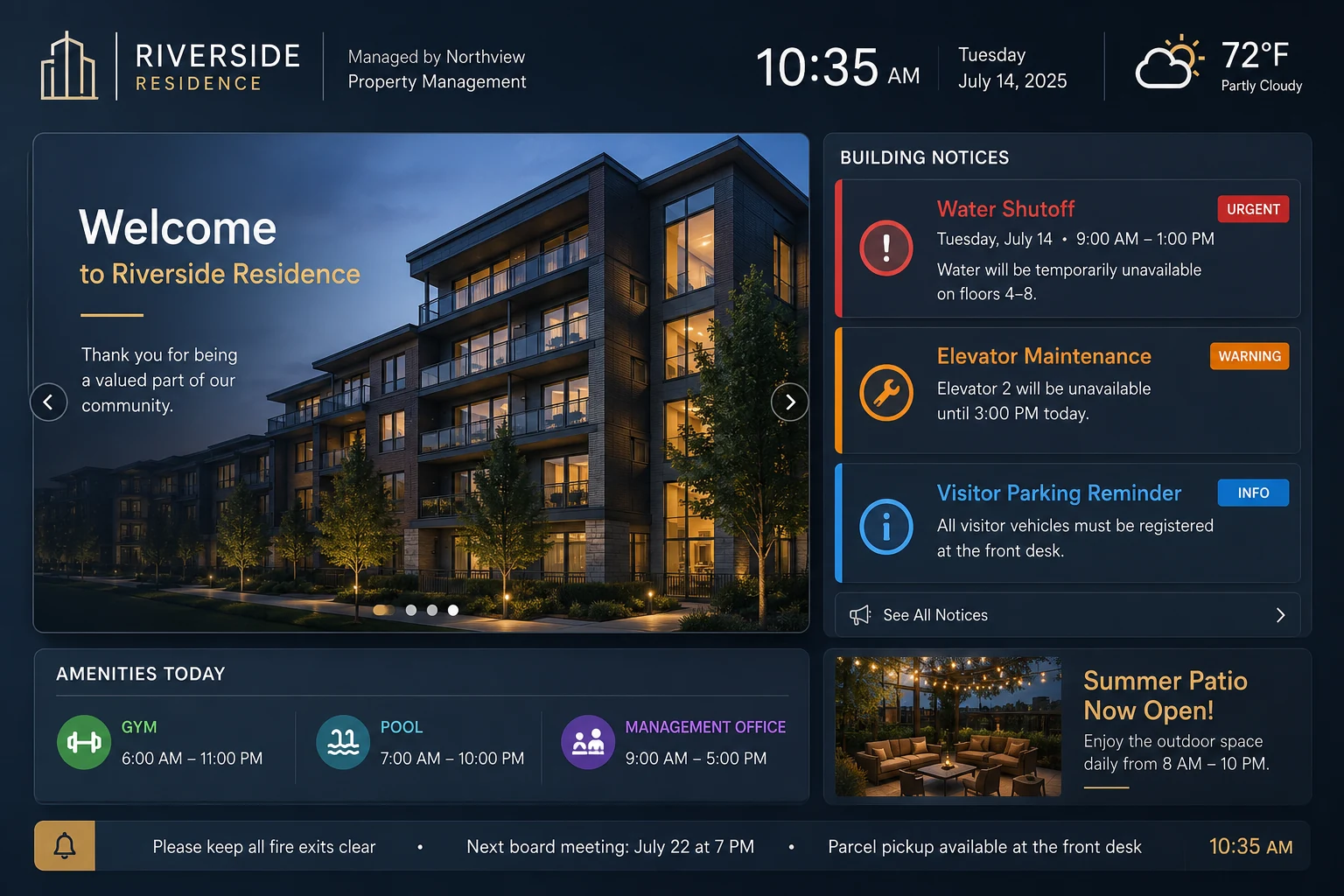
Portfolio managers see every building; building admins see only their own - enforced by real permissions, not just a hidden menu. Post a maintenance notice to one building, or push an emergency alert to every lobby and elevator screen across your entire portfolio in under 30 seconds.
Burger PalaceFitLife GymsThe Salon Co.RetailEdgeQuickBite QSRCityMall
Features
Everything your screens need. Nothing you don't.
One digital signage platform for restaurants, retail, gyms, corporate offices, and property managers.
Visual Slide Designer
Drag-and-drop canvas editor with layers, text, images, shapes, and entrance animations. Design professional digital signage without a designer or any desktop software.
Playlist Builder
Sequence slides and media with per-item durations, smooth transitions, and background music with automatic volume ducking when videos play.
Real-Time Push
Content reaches every screen in under 5 seconds from approval. SSE push notifications and a 30-second heartbeat keep every display in perfect sync.
Smart Scheduling
Plan what plays and when with recurring rules, time-of-day windows (morning menus, lunch specials, evening promos), and emergency overrides that preempt everything.
Digital Service Menus
Live menu boards for restaurants, gyms, salons, and retail - with day-part scheduling, item photos, and one-tap sold-out toggles. Screens update within 30 seconds.
Café Menu Board
Dedicated menu module for coffee shops and bakeries. Add items with photos inline, organize by category, and display in a fully styled columns or list layout.
Social Media Widget
Display your Instagram, TikTok, Facebook, and 9 other platforms as a bar, card panel, or QR cycle overlay - persistent across every slide transition.
Condo Board
Publish building announcements - with urgency levels, optional images, and auto-expiry - directly to lobby and elevator screens. No design skills needed.
Store Hours
Configure your weekly opening hours once. The widget shows today's hours automatically - with a live Open/Closed indicator - or displays the full week with today highlighted.
Multi-Screen Management
Register and monitor every display across all locations from one dashboard. Push different content to different zones simultaneously.
Live Content
Real-time clock, scrolling news ticker, live industry headlines, and live forex exchange rates - keeps screens fresh without anyone touching them.
Content Approval
Enterprise governance baked in. Editors submit content for review. Admins receive a 6-digit email code. Nothing goes live without explicit admin sign-off.
Build slides with the drag-and-drop canvas editor, or upload images, videos, and media directly from your library.
02
02
Schedule
Arrange slides into playlists, set durations and transitions, then schedule when and where each playlist plays.
03
03
Display
Approve and push. Content streams to every registered screen in seconds - offline-capable with local cache fallback.
Real-world use cases
A day in the life with Atracast
See how different businesses run their screens without ever leaving the dashboard.
Restaurant Owner
Logs into Atracast from their laptop. Updates the soup of the day. Marks a sold-out item as unavailable. Hits save - and within 30 seconds, every screen in every location shows the updated board. They didn't touch a single TV.
Gym Manager
Schedules a "New Year Promotion" to run on all lobby screens from January 1st through January 31st, only between 6am and 10pm. After January 31st, it automatically stops - the regular schedule resumes with no manual action.
Retail Marketing Team
Designs a new seasonal campaign in the slide editor - branded colors, product images, animated text. Submits for approval. The regional manager receives an email code, verifies it, and the campaign goes live across 40 stores simultaneously.
Condo Property Manager
Posts a "Water Shutoff - Saturday 9am–2pm" announcement marked Urgent, with a floor plan image attached. Within 30 seconds it appears on every lobby and elevator screen. When Saturday passes, it expires automatically - screens go back to normal.
< 5s
Content push latency
99.9%
Uptime SLA (Enterprise)
∞
Screens on Enterprise plan
5 min
Avg. onboarding time
Why Atracast
Simpler, faster, and more powerful than anything else out there.
All the features you expect - plus capabilities your current platform doesn't offer.
Full designer in the browser
No desktop app, no plugins, no exports. Design right where you manage - any device, any OS.
Background music with smart ducking
Music lowers automatically when a video plays, then restores when it ends. Works independently across slide transitions.
Content live in under 5 seconds
SSE push ensures near-instant delivery the moment content is approved. 30-second heartbeat as a safety net.
No hardware lock-in
Runs on smart TVs, Fire Sticks, Raspberry Pi, or any browser-capable device. Works offline with local cache.
Purpose-built service menus
Live menu management with day-part scheduling and one-tap availability toggles - built specifically for food and retail.
White-label ready
AV resellers and agencies can sell Atracast under their own brand. Full rebranding support on Enterprise.
FAQ
Frequently asked questions
Industry-specific questions? Check your industry page.
What is Atracast?
Atracast is cloud digital signage software. You design slides and menu boards in a browser dashboard, schedule what plays and when, and it pushes live to any TV or screen registered to your account - no USB sticks, no on-site IT visits.
What hardware do I need?
None proprietary. Atracast runs on any device with a modern browser - smart TVs, Amazon Fire Sticks, Raspberry Pi, Chrome devices, or a Windows/Mac mini. If it has a browser and an internet connection, it works.
How much does it cost?
$9 per screen per month, with every feature included - no tiers, no add-ons, no feature gating. Add a screen and the price goes up by $9; remove one and it goes down. See the full breakdown on the Pricing page.
How fast do changes reach the screen?
Under 5 seconds from approval for most changes, backed by a 30-second heartbeat as a safety net. A price change, a sold-out toggle, or a new slide reaches every registered screen without anyone touching the TV.
Can I manage multiple locations from one account?
Yes. Device groups let you push the same content to every screen at every location with one action, or manage locations independently with their own default playlists, operating hours, and overrides.
Is there a free trial?
Yes - start free with up to 3 screens, no credit card required. Upgrade whenever you need more screens.