Childcare & Kindergartens

Daily schedules, meal menus, and notices - on every classroom screen.

Keep parents, staff, and children informed throughout the day. Display activity schedules, today's meal menu, upcoming birthdays, and important notices - all from one dashboard, with no design experience required.
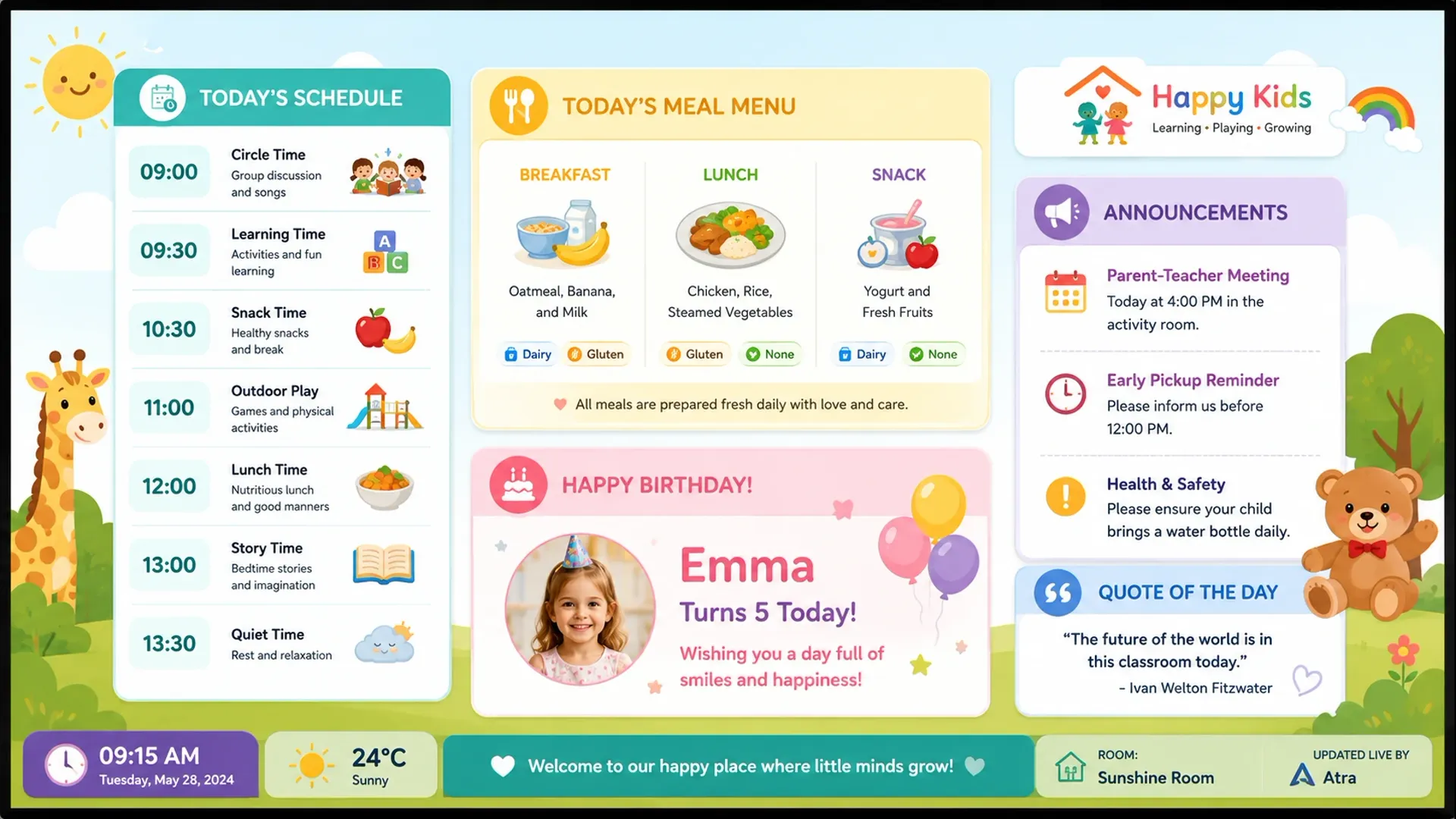
Atra childcare TV display showing daily schedule, meal menu, birthday board and announcements

Four Display Modes

One dashboard. Every screen in your center.

Each room can show a different mode - or all four at different times of day - without any extra setup.

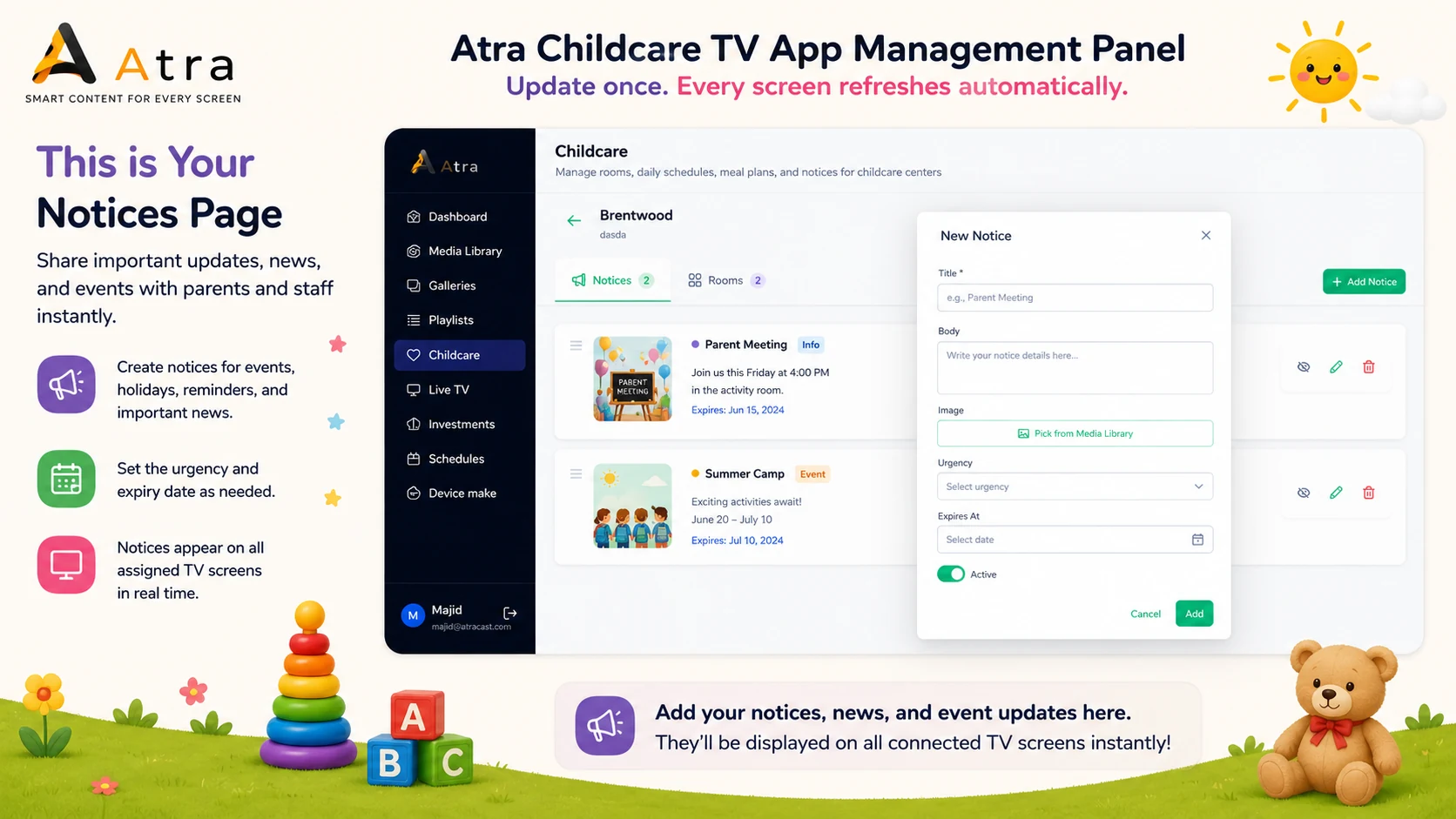
Notice Board

Post center-wide notices with urgency levels - Info, Warning, or Urgent. Auto-expiry removes announcements automatically so boards stay current.

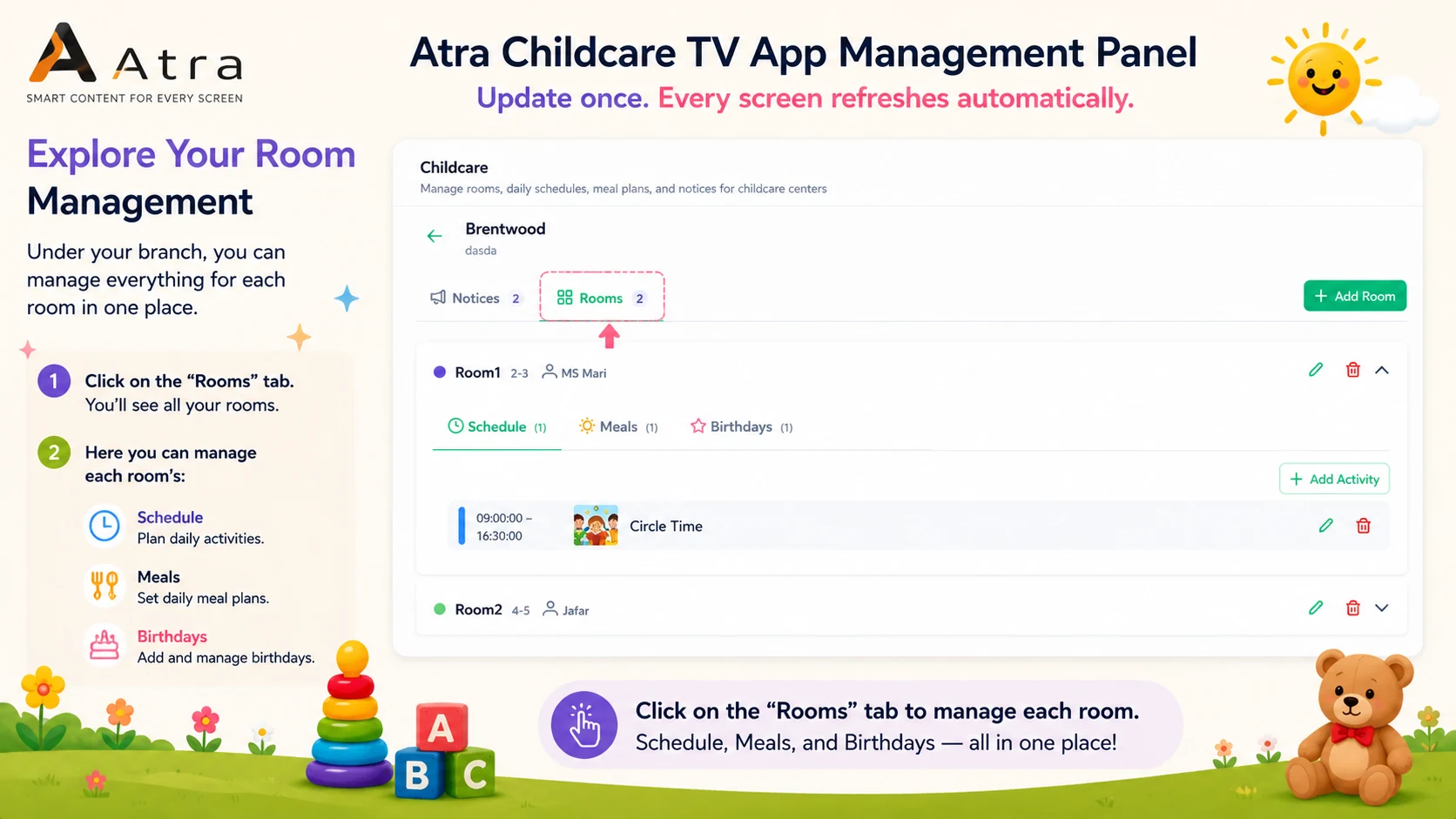
Daily Schedule

Show each room's activity list with start and end times, emoji icons, and per-entry color coding. Filters automatically to today's day of week.

Meal Menu

Display today's meals - breakfast, snack, lunch, afternoon snack - with color-coded cards, allergen badges, and optional photos.

Birthday Board

Cycles through each room's upcoming birthdays. Today's birthday gets an automatic highlight with animation - no manual update required.

Platform features

Every tool your childcare screens need - all included.

No third-party integrations. No add-ons. Every feature below ships with Atracast.

Childcare Widget

Four modes: Notice Board, Daily Schedule, Meal Menu, and Birthday Board - per room or center-wide.

Background Music

Calming music for hallway and common area screens. Shuffle mode and continuous playback built in.

Image Gallery Slides

Classroom art, group photos, and seasonal projects from your media library to any room's screen.

Educational Videos

Play educational content, morning circle recordings, or seasonal videos as playlist items.

Store Hours Widget

Center opening and closing hours with live Open/Closed indicator - great for entrance screens.

Auto Birthday Detection

Today's birthday is automatically highlighted with animation - no one logs in on the day.

Slide Designer

Theme-of-week banners, parent communication slides, and seasonal event announcements.

Emergency Override

Instant alerts pushed to every classroom and hallway screen simultaneously.

Key capabilities

  • Daily schedule board with activity times, icons, and color coding
  • Meal menu display - pin to today or a specific weekday
  • Birthday board with automatic "Today!" highlights
  • Notice board with urgency levels and auto-expiry
  • Per-room configuration - each class gets its own content
  • Allergen badges on meal items
  • Image support on notices and meal cards
  • Center-wide notices pushed to all rooms simultaneously

How centers use it

A daycare director posts a "Water Play Day - please bring extra clothes" notice marked Warning. Within 30 seconds it appears on every hallway and entrance screen.

The kitchen manager updates Thursday's lunch menu from their phone. Each classroom TV picks up the change automatically within the next heartbeat cycle - no USB drives, no IT call.

Each classroom screen shows that room's own activity schedule and birthday board. A child whose birthday is today sees their name animated on the room display when they arrive in the morning.

How it works

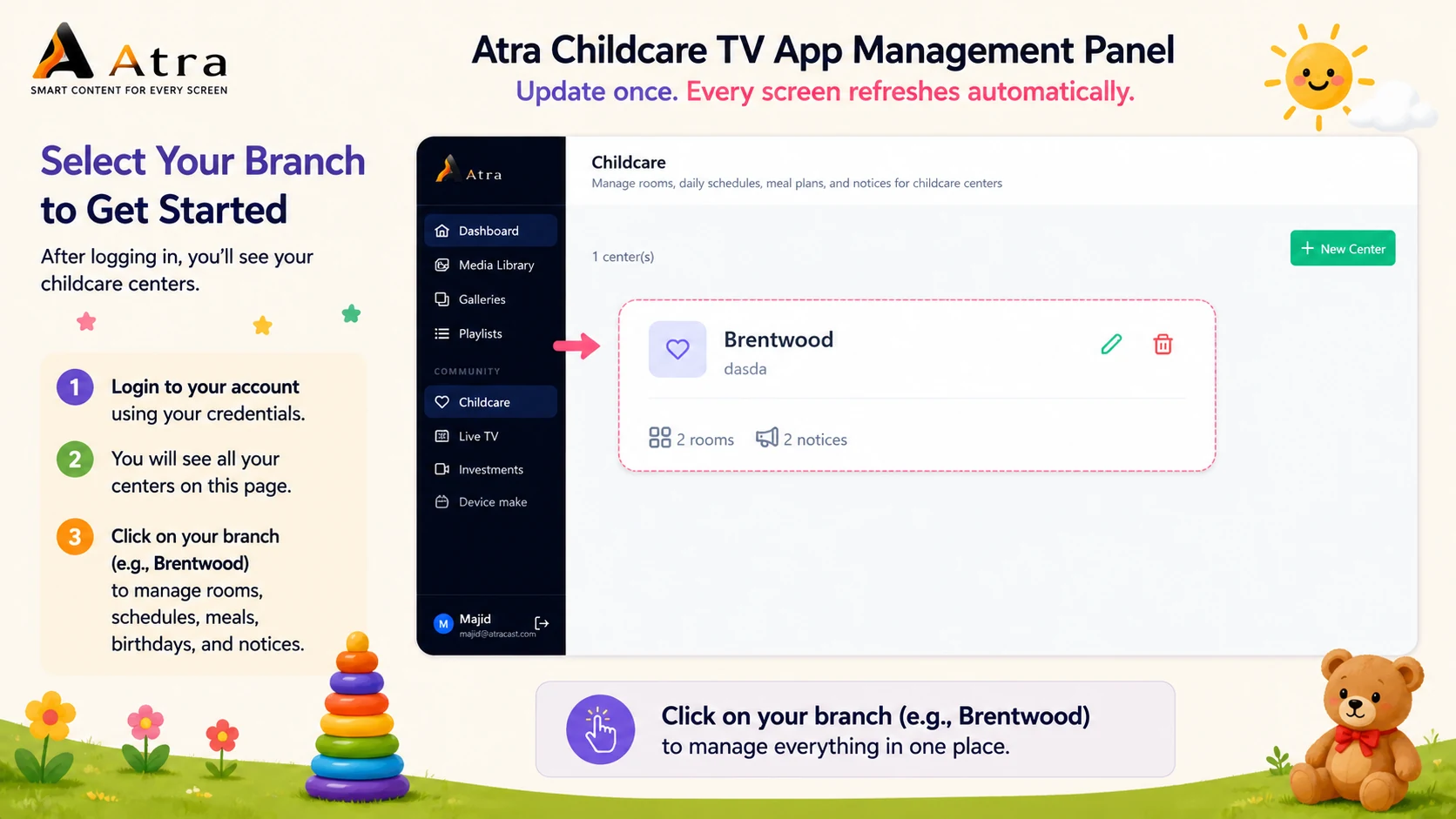
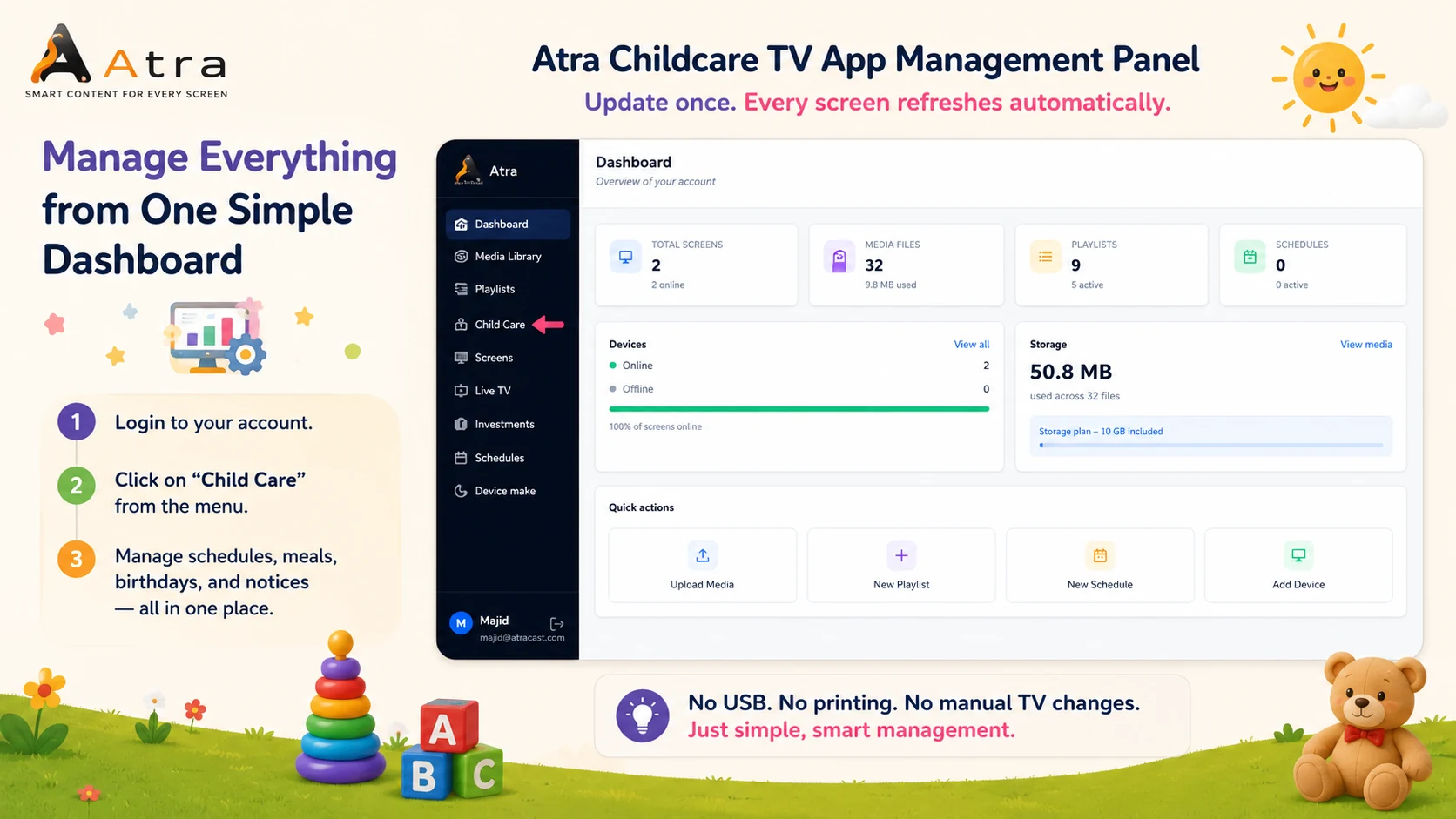
Manage every room from one simple dashboard.

Update once - every screen refreshes automatically.

Step 1 - Open the Dashboard

FAQ

Common questions

How does digital signage work for childcare centers?

Atracast connects to any TV or display with a browser and shows your content automatically. You manage everything - schedules, meals, notices, birthdays - from a web dashboard. No USB drives, no on-site IT visits, no design skills required.

Can each classroom show different content?

Yes. Each room has its own configuration in the dashboard. One room can display a daily schedule, another a meal menu, and the entrance hall can show center-wide notices - all from the same account, updated independently.

How quickly do updates appear on classroom screens?

Within 30 seconds of saving a change. Real-time push (SSE) delivers updates almost instantly; a 30-second heartbeat cycle catches any screens that missed the push event.

Does it work if the internet goes down?

Yes. The TV client caches the current playlist locally. If connectivity drops, screens continue playing the last synced content and re-sync automatically when the connection returns.

What hardware do I need?

Any screen with a modern web browser - a smart TV, Amazon Fire Stick, Raspberry Pi, or Chrome stick. No proprietary hardware or special media players required.

From the blog

Related reading

View all posts →

Ready to modernize your center's screens?

Free to get started. No credit card required. Up and running in 5 minutes.