Salons & Spas

Service menus and ambiance - always up to date.

Display your service menu, pricing, and seasonal promotions on waiting area screens. Update prices when you change them. Promote a new treatment or seasonal special without printing anything. Create a polished atmosphere that matches your brand.
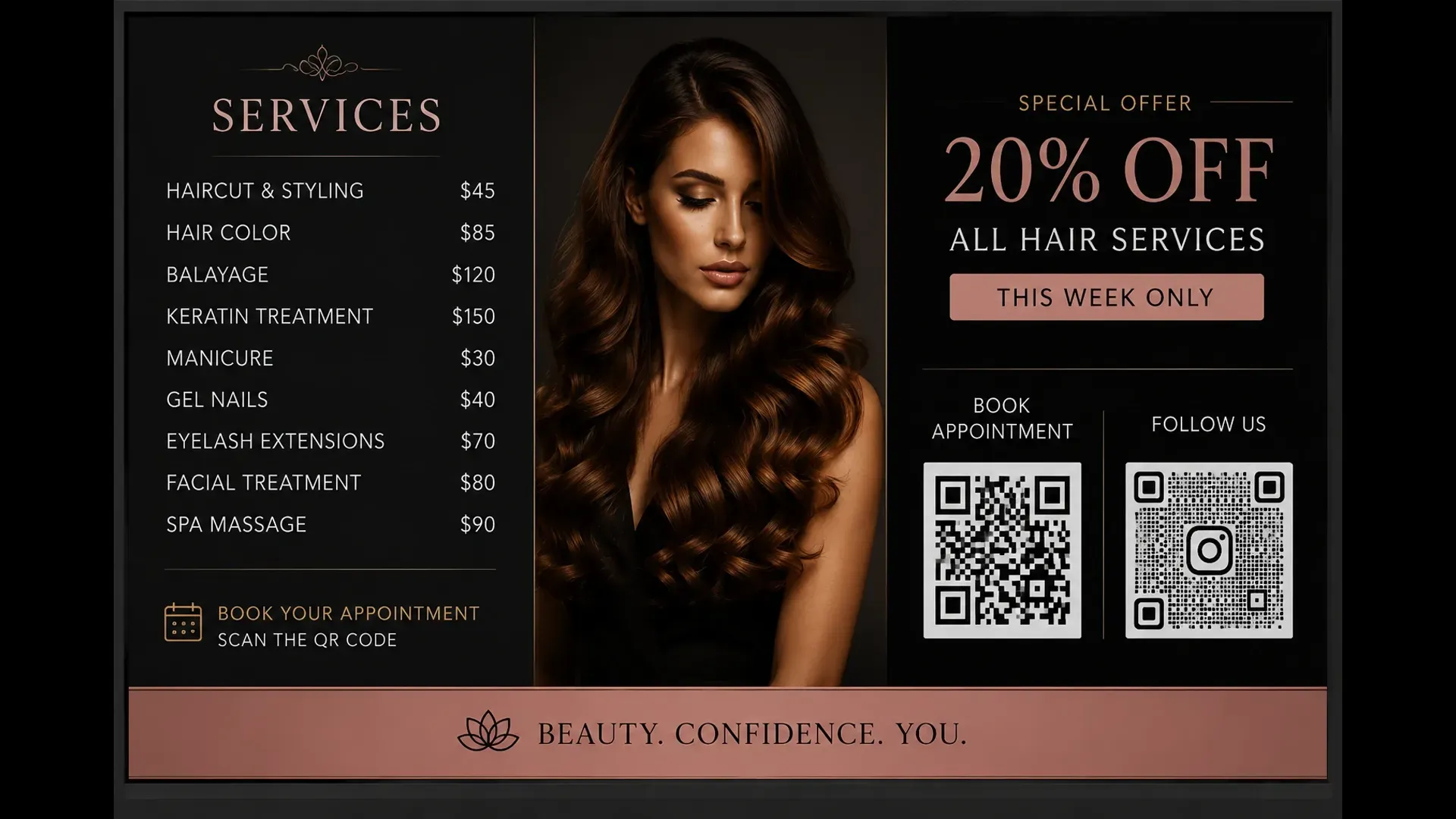
Atracast digital signage for salons and spas showing service menu and promotions

What salons use it for

Your waiting area works harder when screens are on.

Service Menu

Display all your services with prices and descriptions. Update a price in the dashboard and the screen changes within 30 seconds - no reprinting.

Featured Treatments

Highlight a seasonal package or new treatment as featured. It appears prominently on the menu board and promotional slides automatically.

Background Music

Add ambient music from your library. It plays continuously, lowers automatically when a video plays, and restores when it ends.

Seasonal Promotions

Schedule a seasonal offer with a start and end date. It goes live and disappears automatically - no manual content switching.

Booking CTAs

Add a "Call to book" or QR code slide to the rotation. Clients in the chair see it and book their next appointment before they leave.

Branded Layouts

Design branded slides in the built-in editor with your fonts, colors, and product images - no design software required.

Platform features

Every tool your salon screens need - all included.

No third-party integrations. No add-ons. Every feature below ships with Atracast.

Service Menu Widget

Your full service list with prices and categories - styled automatically, no design work.

Background Music

Salon ambiance from your audio library. Plays continuously, auto-ducks on video, then restores.

Treatment Videos

Showcase seasonal treatments or transformation results as a full-screen playlist item.

Portfolio Gallery

Rotate transformation photos, product showcases, and style inspiration from your media library.

Store Hours Widget

Shows salon hours with a live Open/Closed dot - configured once, correct every day.

Featured Items

Mark a treatment as featured and it appears with extra visual prominence on the service board.

Slide Designer

Seasonal campaigns, QR booking codes, and loyalty offer promotions - no design skills needed.

Scheduled Promotions

Set a seasonal offer with start and end dates - it goes live and expires automatically.

Key capabilities

  • Service menu with pricing and descriptions
  • Seasonal promotion and upsell slides
  • Booking reminder and call-to-action displays
  • Background music to match the salon atmosphere
  • Animated, branded slide layouts
  • One-tap price updates - no reprinting
  • Featured treatment highlights
  • Slide designer for fully custom brand layouts

How salons use it

A salon owner adds a new "Summer Highlights" package to the service menu and marks it as featured. Within 30 seconds it appears on the waiting area screen alongside the rest of the menu.

A spa updates its promotion pricing before a long weekend without any design work. The new price appears on screen immediately - no call to a designer, no reprinting, no waiting.

FAQ

Common questions

How do I display my service menu and prices on waiting area screens?

Add your services to the Service Menu editor in the Atracast dashboard, choose a display style, and the menu appears live on your screens. Update a price and the screen changes within 30 seconds - no reprinting, no design work.

Can I add background music to my salon's screens?

Yes. Add audio tracks from your media library to the playlist. Set the volume and enable shuffle mode. Music plays continuously and automatically lowers when a video item plays, then restores - so the atmosphere is never disrupted.

How do I promote a new seasonal treatment?

Add the treatment to your service menu and mark it as featured, or create a promotional slide in the designer with a photo and call to action. It appears on your waiting area screen within 30 seconds of saving.

Do I need any design skills to use Atracast?

No. The service menu renders your items automatically in a styled layout. For custom branded layouts, the drag-and-drop slide designer works without any design experience - add text, images, and shapes without writing any code.

What hardware do I need?

Any screen with a modern web browser - a smart TV, Amazon Fire Stick, Raspberry Pi, or Chrome stick. No proprietary hardware or special media players required.

From the blog

Related reading

View all posts →

Make your waiting area work harder.

Free to get started. No credit card required. Up and running in 5 minutes.