Restaurants & Cafes

Digital menu boards that update in seconds.

Replace printed menus and chalkboards with dynamic digital displays. Update the soup of the day, mark a dish as sold out, or add a daily special - all from your phone or laptop. Changes appear on every screen within 30 seconds.
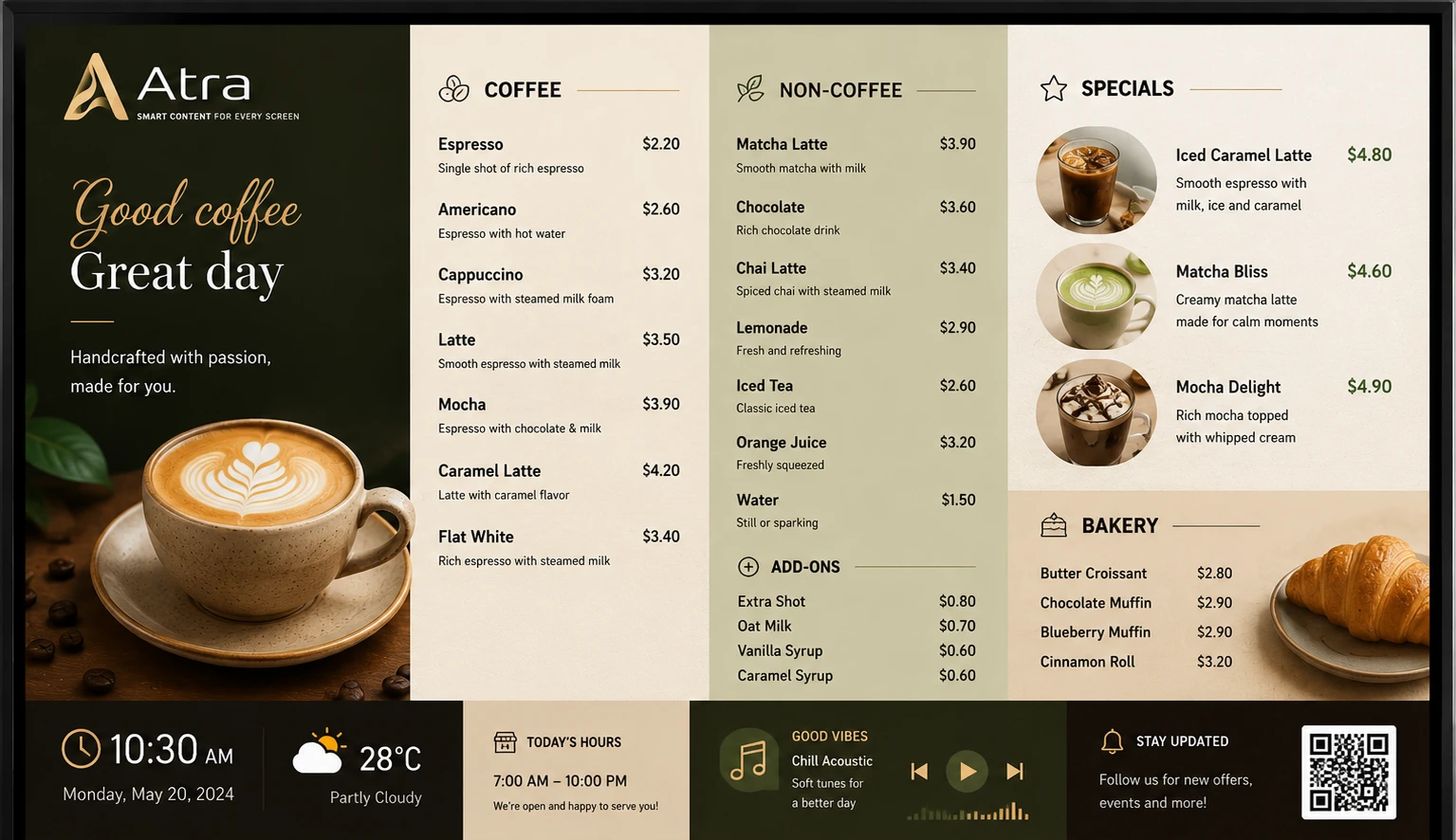
Atracast digital menu board for restaurants and cafes

Display Styles

Five menu board layouts built for food service.

Pick the style that fits your brand - or mix styles across different screens in the same location.

Grid

Image-card grid - McDonald's / Wendy's style. Great for photo-heavy menus.

List

Horizontal rows, price right-aligned. Clean KFC-style overhead board layout.

Price Board

Dark background, large type - the classic signage look for any overhead board.

Featured

One hero item large with supporting items below. Perfect for daily specials.

Category Scroll

Auto-rotates through each category on a timer. Ideal for long menus.

Café Board

Purpose-built for coffee shops and cafés with category icons and inline item editing.

Platform features

Every tool your restaurant screens need - all included.

No third-party integrations. No add-ons. Every feature below ships with Atracast.

Menu Board Widget

Grid, List, Price Board, Featured, or Category Scroll - five display styles built for food service.

Day-Part Scheduling

Breakfast, lunch, and dinner boards switch automatically at your configured times - no manual action ever.

Background Music

Restaurant ambiance from your audio library. Auto-ducks on video items, then restores seamlessly.

Promo Videos

Play chef specials or food promo videos as full-screen playlist items between menu board views.

Store Hours Widget

Live Open/Closed indicator with daily hours - overlaid in a corner alongside the menu board.

Sold-Out Toggle

Mark an item unavailable in one tap. Every screen updates within 30 seconds - no reprinting.

Slide Designer

Chef specials, seasonal menus, loyalty promotions, and event slides - no design experience needed.

Emergency Override

Push an early closing or urgent notice to every screen at every location instantly.

Key capabilities

  • Live digital menu boards with day-part scheduling
  • One-tap sold-out toggle - no reprinting required
  • Separate menus for breakfast, lunch, dinner, and late night
  • Promotional slides between menu pages
  • Background music that auto-ducks on video items
  • Item photos, descriptions, calories, and allergens on screen
  • Multi-location push - change the price once, update every screen
  • Scheduled limited-time offers with automatic expiry

How restaurants use it

A café owner updates the specials board remotely before the morning rush. The barista on shift sees the new item appear on the overhead screen without touching anything.

A restaurant chain syncs the same seasonal menu across 15 locations simultaneously. One approval, 15 screens updated in under 30 seconds.

A brunch spot shows a different playlist on weekends with a single schedule rule. Weekday lunch and weekend brunch boards are different - no one has to remember to switch them.

Menu Editor

Add items, set prices, mark sold out - from anywhere.

Dashboard screenshot coming soon

FAQ

Common questions

How do I create a digital menu board for my restaurant?

Add your menu items in the Service Menu editor, choose a display style (grid, list, price board, featured, or category scroll), and the board appears live on your screens. No design experience needed - the layout engine handles the presentation automatically.

Can I update my menu remotely without going to the restaurant?

Yes. Log into the Atracast dashboard from any device - phone, tablet, or laptop - make your change, and it appears on every screen within 30 seconds. No one needs to be on-site.

What is day-part scheduling?

Day-part scheduling lets you set different menu categories to appear only during specific time windows - for example, breakfast items from 6am–11am, lunch from 11am–4pm, and dinner from 4pm onwards. The board switches automatically with no manual action.

How do I mark an item as sold out?

Open the menu in the dashboard, find the item, and tap the sold-out toggle. The board updates across all screens within 30 seconds. Toggle it back when the item is available again.

Can I run the same menu across multiple locations?

Yes. One menu update pushes to all registered screens simultaneously, regardless of how many locations you have. You can also create separate menus per location for location-specific pricing or items.

From the blog

Related reading

View all posts →

Put your menu on screen today.

Free to get started. No credit card required. Up and running in 5 minutes.